Read Journal Node
The Read Journal node retrieves journal entries stored in the system using a unique Journal ID. It allows learners to access previously saved content, enabling continuity in learning experiences and data persistence across different flows or sessions.
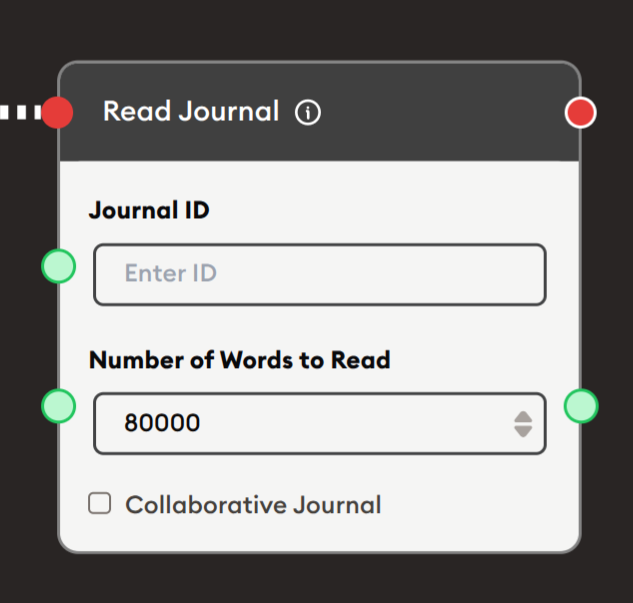
Basic Usage
Use the Start Node, Read Journal, and Display Text nodes for retrieving and displaying stored journal content.
Inputs
The Read Journal node accepts the following inputs:
- Journal ID (left input): A unique identifier for the journal entry to retrieve. This can be a static ID entered in the configuration or dynamically passed from another node.
- Number of Words to Read (left input): Optional input to dynamically set the maximum number of words to retrieve from the journal.
Outputs
- Output (right output): The retrieved journal content as text, up to the specified number of words.
Configuration
Journal ID
Enter the unique identifier for the journal entry you want to retrieve:
- Static ID: Manually enter the Journal ID in the text field.
- Dynamic ID: Leave the field empty and connect another node's output to the Journal ID input to dynamically provide the ID.
Note: Journal IDs are created when using the Write Journal or Update Journal nodes.
Number of Words to Read
Specify how many words to retrieve from the journal:
- Default: 80000 words
- Range: Adjust based on your needs to control how much content is retrieved
- Use Case: Useful for retrieving only recent entries or limiting the amount of data processed
Collaborative Journal
- Checkbox: When enabled, the node can access journals shared across multiple users or sessions.
- Use Case: Useful for group projects or collaborative learning activities where multiple learners contribute to the same journal.
Example Workflows
Personal Learning Journal Retrieval
Scenario: Create a personalized learning system where students can retrieve and review their previous reflections or notes.
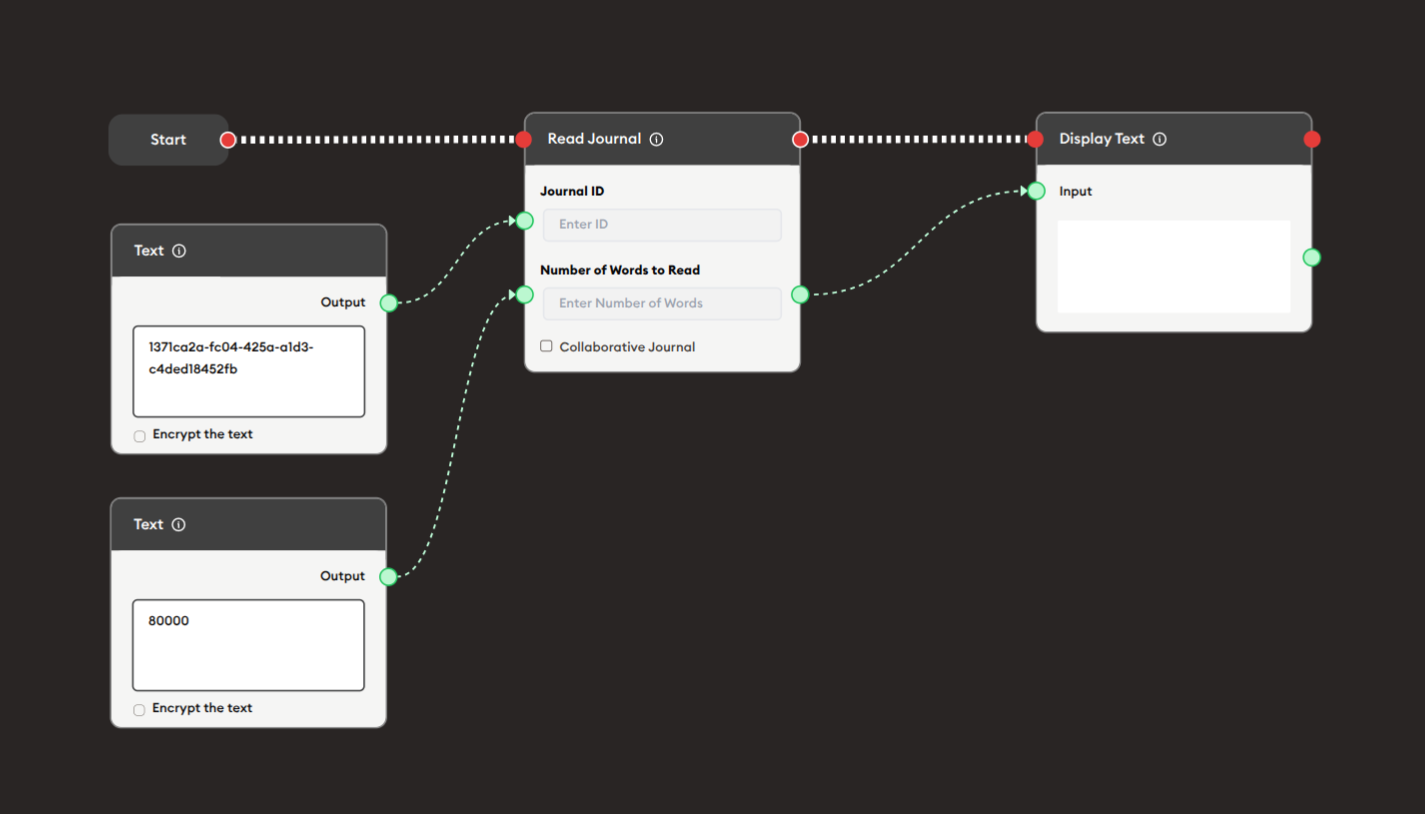
Steps to Create the Flow:
-
Start with the Start Node.
-
Add and connect a Text node with the Journal ID:
- Example:
1c32278b-863c-4805-92a8-0d5ae
- Example:
-
Add and connect a Read Journal node:
i. Enter Journal ID:
1c32278b-863c-4805-92a8-0d5ae(or connect from a dynamic source)ii. Set Number of Words to Read: 80000 (or adjust as needed)
iii. Collaborative Journal: Leave unchecked for individual journals, or check for shared journals
-
Add and connect a Display Text node to show the retrieved content:
- Connect the Read Journal's output to display the journal entry
Result: Students can access their previously saved journal entries, enabling them to review past work, reflections, or progress over time.