H5P
The H5P node displays interactive H5P (HTML5 Package) content in your workflow. H5P is a free and open-source content collaboration framework that enables creation and sharing of rich, interactive content types such as presentations, interactive videos, quizzes, timelines, games, and more. This node allows you to embed H5P content files (.h5p) created with H5P authoring tools into your educational workflows.
Basic Usage
Use the H5P node to display interactive H5P content to users. Upload an H5P file (.h5p extension) and the node will render the interactive content in your workflow.
Inputs
The H5P node does not have input ports for receiving data from other nodes. It operates as a standalone content display node.
Outputs
Output (Red Port)
Flow Control: Continues execution to the next node after H5P content is displayed.
- Connects to red input ports of subsequent nodes
- Allows workflow to continue after content is shown
- Standard flow progression connection
- Note: Flow continues when content loads, not necessarily when user completes interaction
Configuration
Upload H5P File
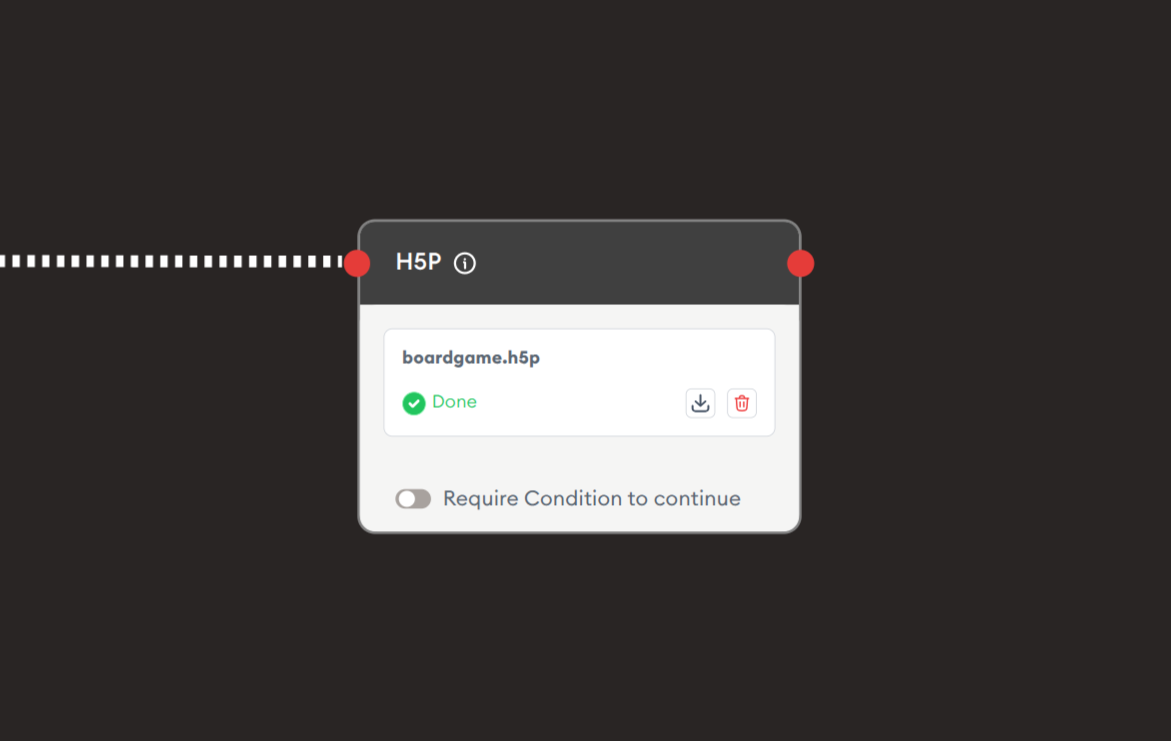
File Upload Area: Upload H5P content files.
File Display:
- Shows uploaded filename (e.g., "boardgame.h5p")
- Green checkmark indicates successful upload (✓ Done)
- Download icon to re-download uploaded file
- Trash icon (red) to remove uploaded file
- Drag & drop or click to upload
File Requirements:
- Format: Only .h5p file type supported
- File Extension: Must be .h5p
- Content Source: Created from H5P authoring tools (H5P.org, Lumi, Moodle H5P, etc.)
- Validation: File is validated upon upload
Require Condition to continue
Toggle Option: Enforces content completion requirements.
Off (Default):
- Users can proceed freely
- No completion requirements
- Optional content viewing
- Flow continues immediately
On:
- Users must meet specific conditions to continue
- Typical conditions:
- Complete all content sections
- Pass embedded quiz
- Achieve minimum score
- Interact with all elements
- Enforces thorough engagement
- Based on H5P completion signals
Example Workflows
Simple H5P Content Display
Scenario: Display an interactive H5P activity to students.
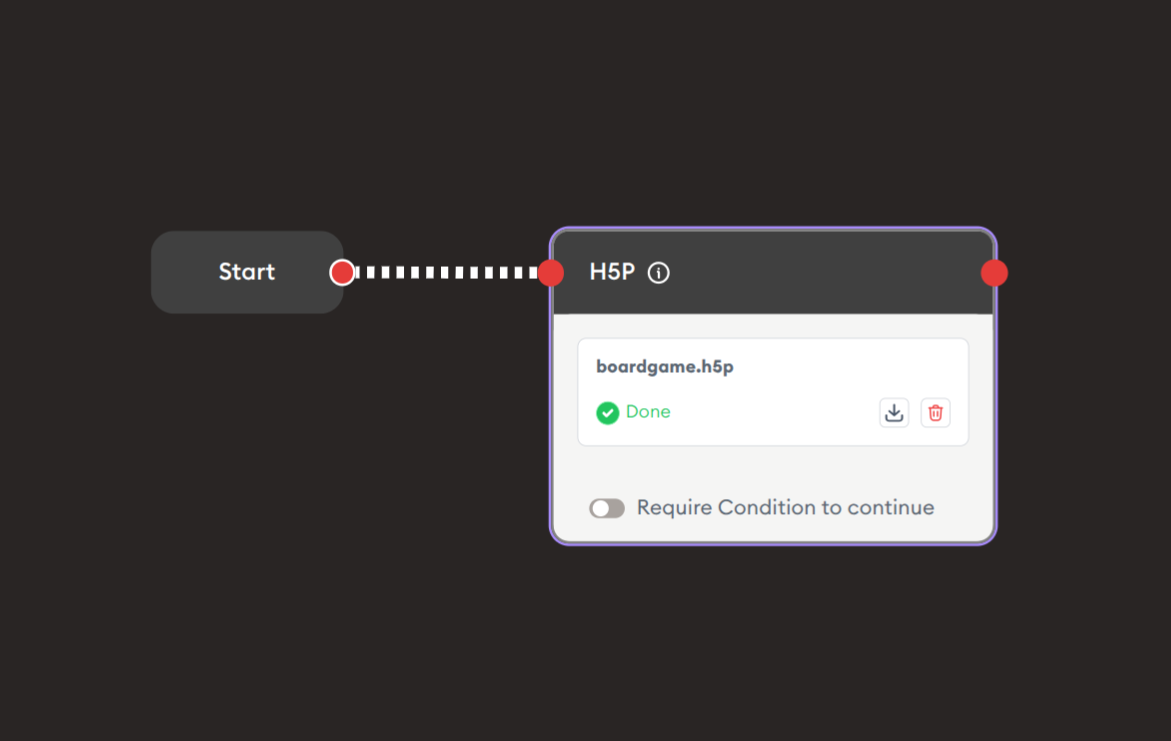
Steps to Create the Flow:
-
Add a Start Node.
-
Add an H5P node:
i. Upload H5P file:
- Click upload area or drag & drop
- Select .h5p file from your computer (e.g., "boardgame.h5p")
- Wait for green checkmark (✓ Done)
ii. Configure options:
- Require Condition to continue: OFF (for optional content)
- Or ON (for required completion)
-
Connect flow control:
- Start → H5P (red to red)
-
Add continuation:
- H5P → Display Text: "Activity complete" (optional)
Preview:
[Start] → [H5P: Interactive board game]
       → User interacts with H5P content
       → [Continue workflow]
Result: Users see and interact with the H5P content (game, quiz, video, presentation, etc.) embedded in the workflow.
Related Nodes
- Display xAPI Content: For SCORM/xAPI packages
- Display HTML: For custom HTML-based content
- Display Quiz: Built-in quiz alternative
- Online Video Player: For video-only content
- Display Text: Provide instructions and context
- Progress Checkpoint: Mark H5P content completion
- Form: Collect feedback about H5P experience
- Data Dump: Store H5P interaction data (if tracked)
Summary
The H5P node brings rich, interactive learning experiences to your workflows:
✓ Interactive: Engage users with 40+ content types
✓ Free: Open-source and accessible to all
✓ Versatile: Videos, games, quizzes, presentations, and more
✓ Reusable: Create once, use in multiple workflows
✓ Standards-Based: xAPI/SCORM compatible tracking
Master the H5P node to deliver engaging, interactive learning experiences that go beyond static content, creating truly immersive educational journeys with professional-quality interactive elements.