Send Custom xAPI Statement
The Send Custom xAPI Statement node transmits custom-built xAPI (Experience API) statements to a Learning Record Store (LRS). It receives xAPI statement JSON from the xAPI Statement Builder node and sends it to the configured LRS endpoint for storage and tracking. This node is essential for persisting custom learning activity records, enabling learning analytics, and integrating with external LRS systems. It handles the technical details of LRS communication, authentication, and statement submission.
Basic Usage
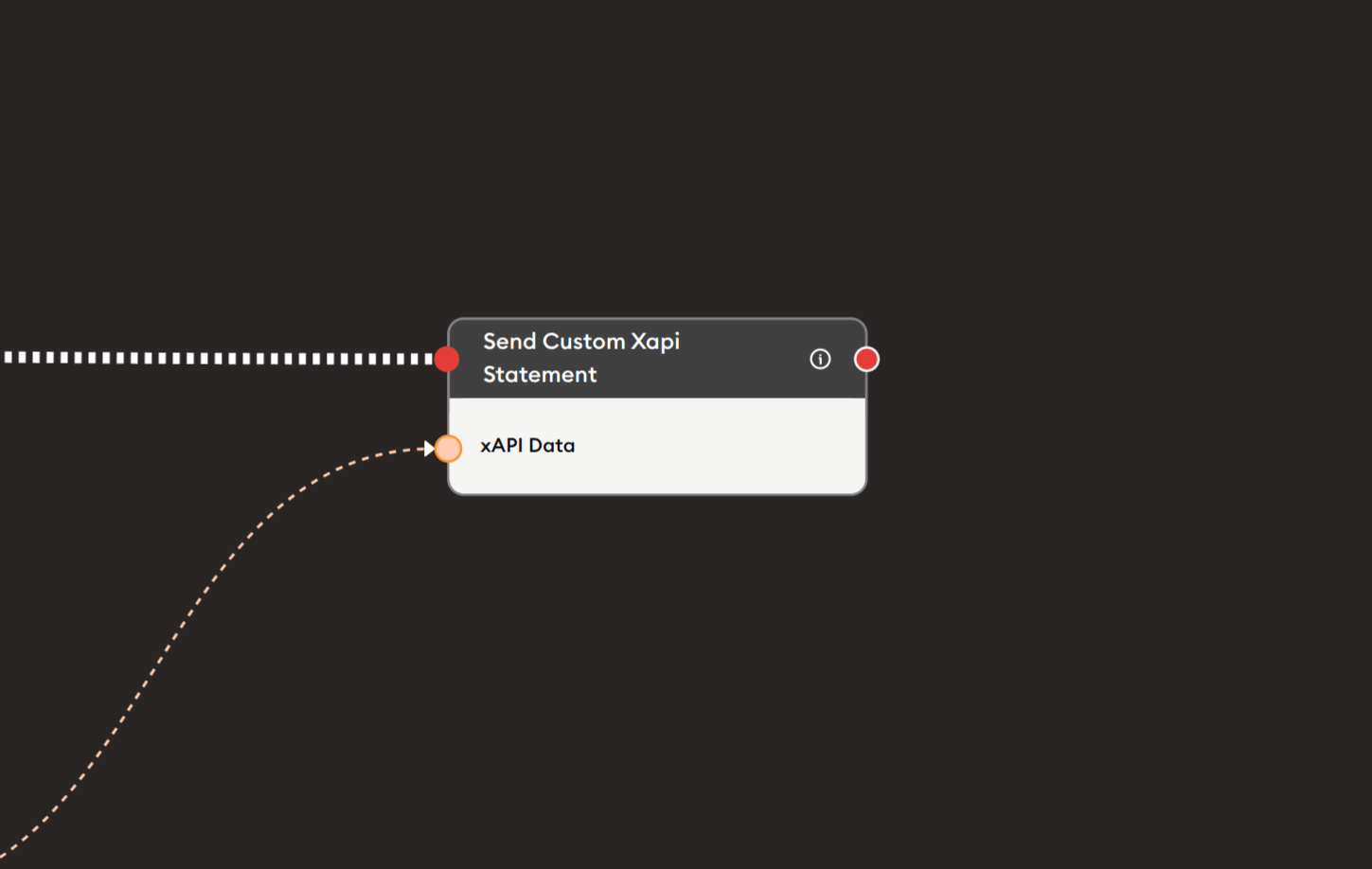
Use the Send Custom xAPI Statement node to submit xAPI statements to your LRS. Connect the output from an xAPI Statement Builder node to the xAPI Data input, and the node will handle sending the statement to the configured Learning Record Store.
Inputs
xAPI Data (Orange Port)
xAPI Statement JSON: Receives the custom xAPI statement to be sent.
- Connects to orange output ports from previous nodes
- Typically from xAPI Statement Builder node
- Contains complete xAPI statement in JSON format
- Must be valid xAPI-compliant statement
- Required for node to function
Expected format:
{
  "actor": {...},
  "verb": {...},
  "object": {...},
  "result": {...},
  "context": {...}
}
Outputs
Output (Red Port)
Flow Control: Continues execution to the next node after statement is sent.
- Connects to red input ports of subsequent nodes
- Standard flow progression
- Triggered after successful LRS submission
- Allows workflow continuation
- May trigger even if send fails (check implementation)
Use for:
- Confirming submission
- Triggering next activities
- Sequential statement sending
- Workflow completion
Configuration
The Send Custom xAPI Statement node has minimal configuration as it relies on platform LRS settings:
xAPI Data Input
Orange port for receiving xAPI statements.
- Must be connected to xAPI statement source
- Typically from xAPI Statement Builder
- Can also receive from:
- AI-generated xAPI JSON
- API responses
- Data retrieval nodes
- Text processing nodes outputting valid xAPI JSON
LRS Configuration
Configured at platform level (not in node):
- LRS endpoint URL
- Authentication credentials
- API keys or OAuth tokens
- Statement endpoint path
- Retry policies
Note: LRS settings are typically configured in platform settings, not within the node itself.
Example Workflows
Basic Custom Statement Submission
Scenario: Build and send custom xAPI statement to LRS.
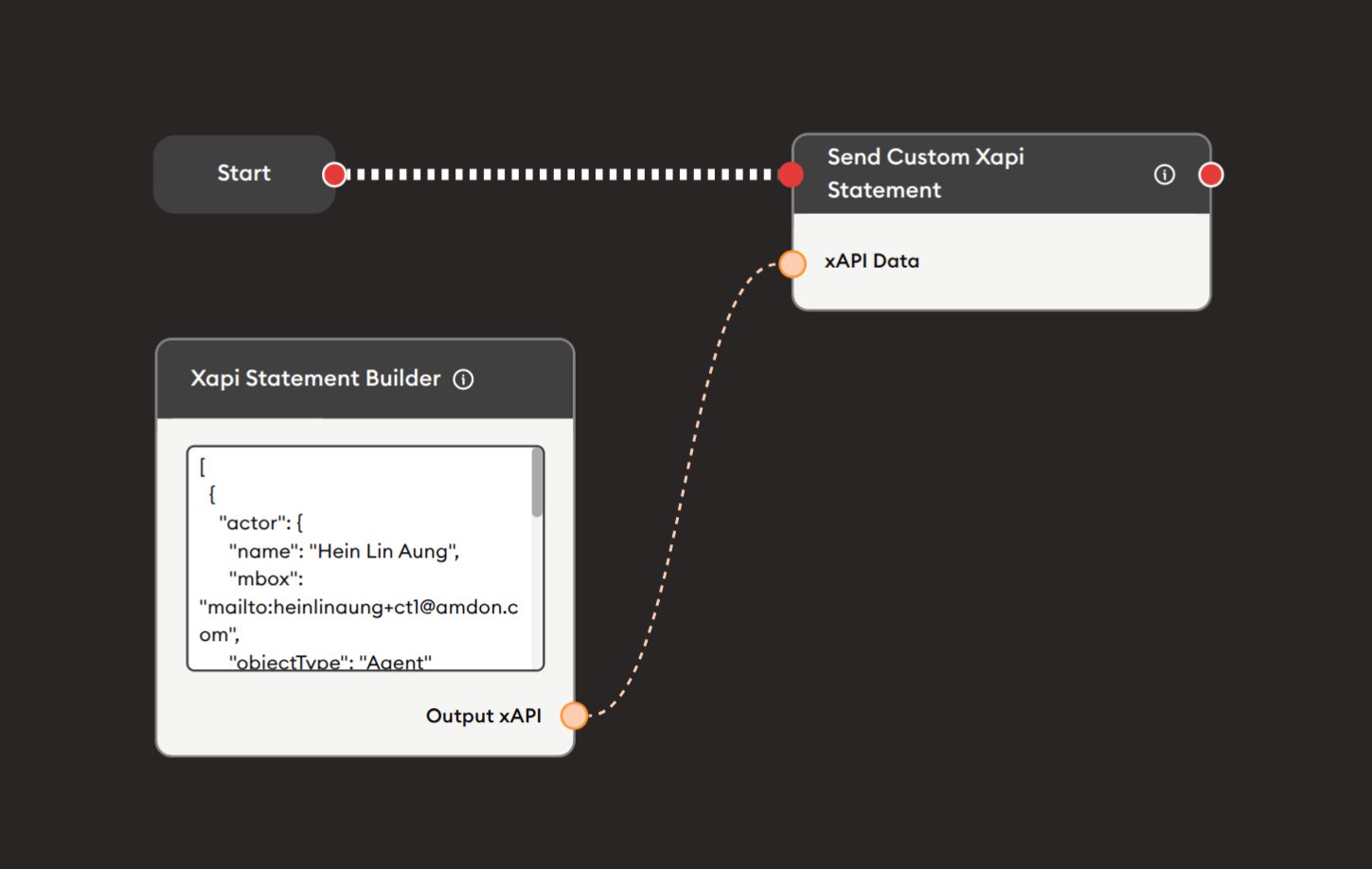
Steps to Create the Flow:
-
Add a Start Node.
-
Add an xAPI Statement Builder node:
i. Write custom xAPI JSON:
{"actor": {"name": "Hein Lin Aung","mbox": "mailto:heinlinaung+ctl@amdon.com","objectType": "Agent"},"verb": {"id": "http://adlnet.gov/expapi/verbs/completed","display": { "en-US": "completed" }},"object": {"objectType": "Activity","id": "https://example.com/activity/custom-lesson","definition": {"name": { "en-US": "Custom Learning Activity" }}}} -
Add a Send Custom xAPI Statement node:
- Connect xAPI Statement Builder Output xAPI (orange) to xAPI Data input (orange)
- No additional configuration needed
- Statement will be sent to configured LRS
-
Connect flow control:
- Start → xAPI Statement Builder → Send Custom xAPI Statement (red ports)
Preview:
[Start] → [xAPI Statement Builder: Build custom statement]
       → [Send Custom xAPI Statement: Submit to LRS]
Result: Custom xAPI statement is built and sent to the LRS for storage.
Related Nodes
- xAPI Statement Builder: Create custom xAPI statements (required input)
- xAPI Report: Alternative simplified statement creation
- Retrieve xAPI Data: Fetch existing statements from LRS
- Data Dump: Backup statements before sending
- API Call: Alternative method for LRS submission
- Display Text: Show confirmation messages
Summary
The Send Custom xAPI Statement node is essential for LRS submission:
✓ Simple: Pre-configured LRS integration
✓ Reliable: Handles authentication and submission
✓ Standard: xAPI specification compliant
✓ Flexible: Works with any valid xAPI statement
✓ Essential: Persists learning records
Master the Send Custom xAPI Statement node to complete the xAPI workflow by submitting custom learning records to your LRS, enabling comprehensive learning analytics, cross-platform tracking, and standards-based educational data collection. Always pair with xAPI Statement Builder for statement creation and include proper validation and error handling for robust implementations.