Speech Input
The Speech Input node allows users to record voice audio during workflow execution. It provides a microphone recording interface where users can speak directly into their device, capturing audio input that can be transcribed, analyzed, or processed. The node supports configurable recording time limits and interface sizes, making it ideal for language learning, pronunciation practice, voice-based assessments, audio responses, and any scenario requiring spoken user input.
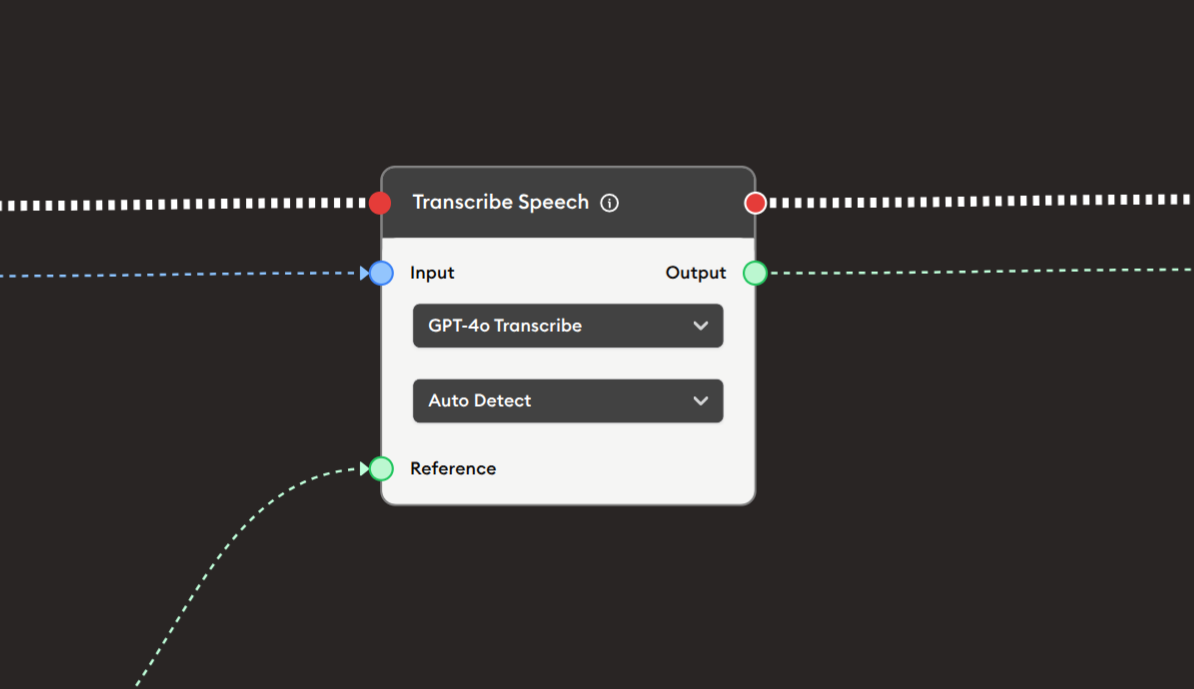
Basic Usage
Use the Speech Input node to collect voice recordings from users. Configure the recording time limit and interface size, and the recorded audio is captured and passed to subsequent nodes for transcription, analysis, or playback.
Inputs
The Speech Input node does not have input ports for receiving data from other nodes. It operates as a user interaction node where users directly record audio through their microphone.
Outputs
Output (Blue Port)
Audio Recording: Outputs the recorded audio file.
- Connects to blue input ports of subsequent nodes
- Contains the recorded voice audio
- Available after user completes recording
- Compatible with audio processing nodes
- Typically in WAV, MP3, or similar format
Compatible nodes:
- Transcribe Speech
- Audio analysis nodes
- Audio playback nodes
- Audio storage nodes
Output (Red Port)
Flow Control: Continues execution to the next node after recording is complete.
- Connects to red input ports of subsequent nodes
- Standard flow progression
- Triggered when user finishes recording and proceeds
- Allows workflow continuation
Configuration
The Speech Input node provides options to control recording duration and interface appearance:
Recording Limit in seconds
Text input field to set maximum recording duration.
- Default:
60seconds (1 minute) - Maximum limit:
180seconds (3 minutes) - Prevents excessively long recordings
- Automatically stops recording at limit
- Shows countdown or elapsed time to user
Note: "Maximum limit is 180 seconds. If exceeded, support would not provided."
Recommended limits by use case:
- Quick responses: 30 seconds
- Short answers: 60 seconds
- Detailed responses: 120 seconds
- Presentations: 180 seconds (maximum)
Select Speech Input Size
Radio buttons to choose interface size.
Options:
- ● Small (default, selected)
- ○ Medium
Purpose:
- Controls visual size of recording interface
- Small: Compact, space-efficient
- Medium: Larger, more prominent
- Choose based on workflow layout and emphasis
Example Workflows
Voice Recording with Transcription
Scenario: Record speech and convert to text using AI transcription.
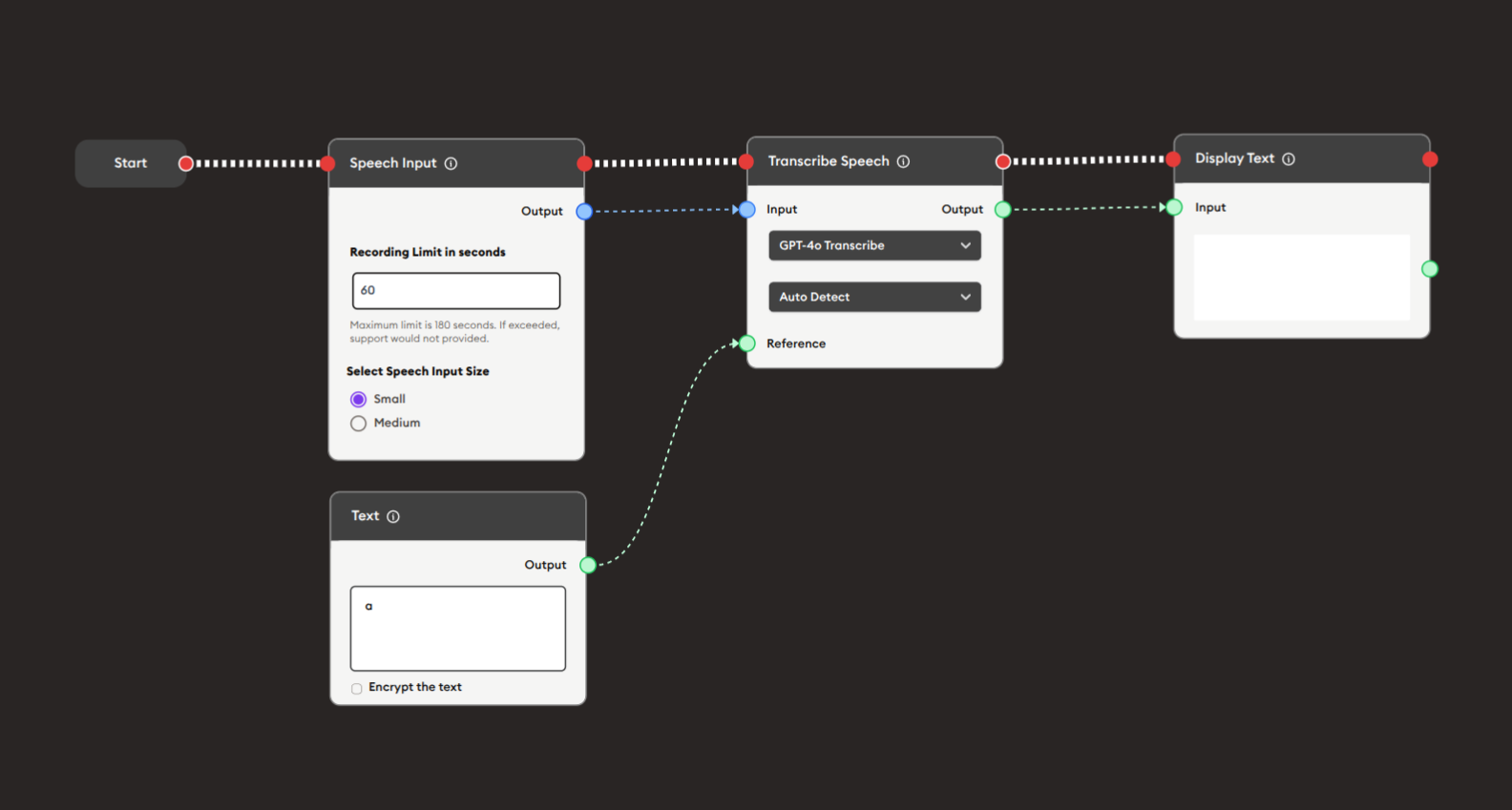
Steps to Create the Flow:
-
Add a Start Node.
-
Add a Speech Input node:
i. Configure recording:
- Recording Limit in seconds:
60 - Select Speech Input Size: ● Small
ii. User interaction:
- User clicks microphone button
- Speaks their response
- Recording captures audio
- Stops automatically at 60 seconds or when user stops
- Recording Limit in seconds:
-
Add a Text node (optional):
- Provides context or instructions for transcription
- Output: "a" or specific instructions
-
Add a Transcribe Speech node:
i. Configure transcription:
- Model: "GPT-4o Transcribe"
- Language: "Auto Detect" (or specific language)
ii. Connect inputs:
- Speech Input audio output (blue) → Transcribe Speech Input
- Text node output (green) → Transcribe Speech Reference (optional)
-
Add a Display Text node:
- Connect Transcribe Speech output (green) to Input
- Displays the transcribed text
-
Connect flow control:
- Start → Speech Input → Transcribe Speech → Display Text (red ports)
Preview:
[Start] → [Speech Input: User records voice (60s max)]
       → [Text: Context/instructions]
       → [Transcribe Speech: Convert audio to text]
       → [Display Text: Show transcription]
Result: User speaks, audio is recorded, transcribed to text, and displayed.
Related Nodes
- Transcribe Speech: Convert recorded audio to text
- Audio Input: Upload pre-recorded audio files
- Text Input: Alternative text-based input
- Audio: Play audio files
- Display Text: Show transcribed speech
- AI General Feedback: Evaluate spoken responses
- Text-to-Speech: Convert text to audio
- Form: Alternative for structured input
Summary
The Speech Input node is essential for voice-based interaction:
✓ Hands-Free: Voice recording via microphone
✓ Configurable: Adjustable time limits and size
✓ Accessible: Enables voice-based input
✓ Versatile: Language learning to assessments
✓ Interactive: Real-time voice capture
Master the Speech Input node to create engaging voice-enabled workflows for language learning, pronunciation practice, verbal assessments, accessibility, oral presentations, and any activity where spoken input enhances the learning or user experience. Always pair with Transcribe Speech node for text processing and AI analysis.