xAPI Statement Builder
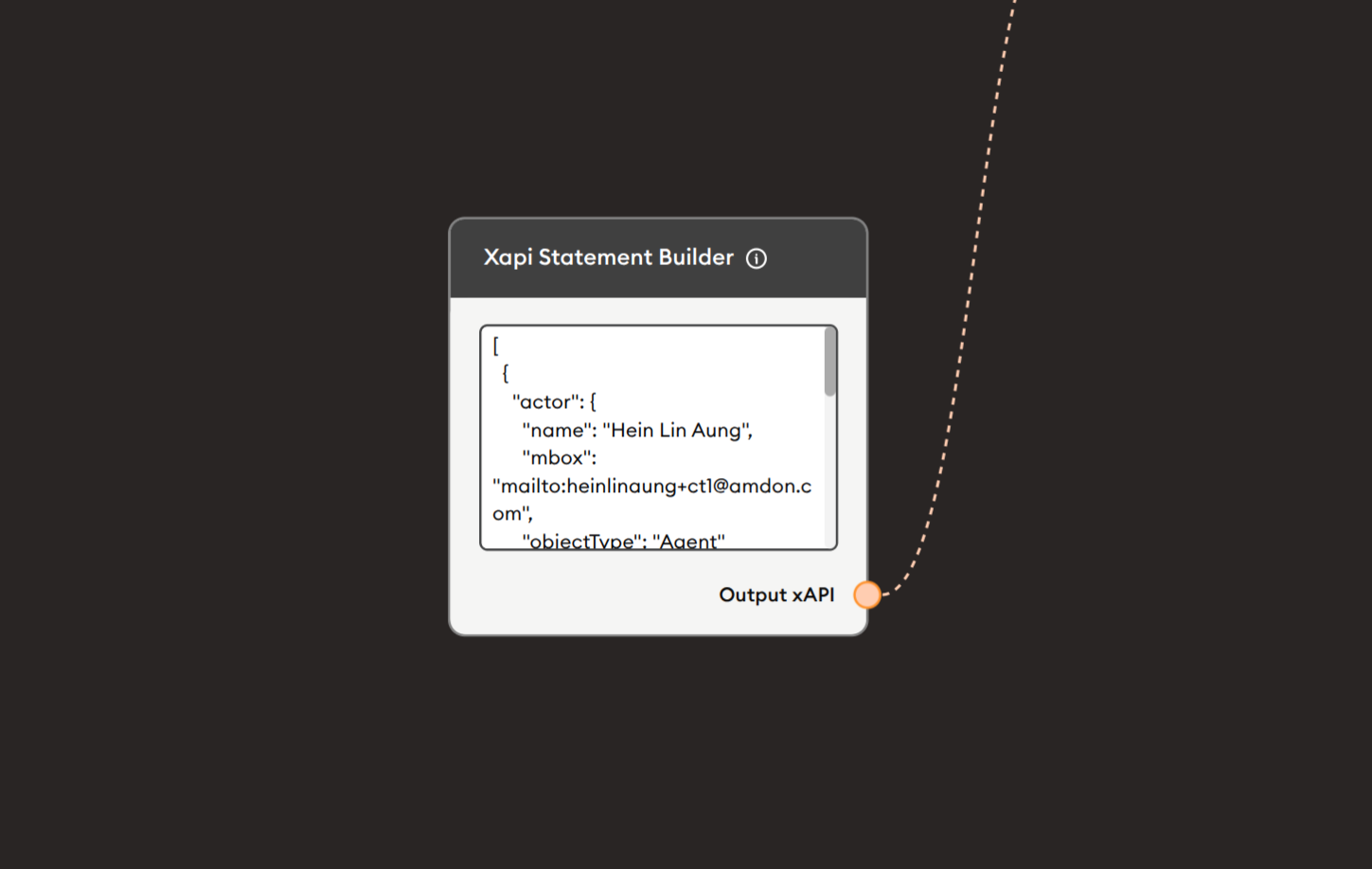
The xAPI Statement Builder node creates custom xAPI (Experience API) statements using raw JSON format. It provides a flexible code editor where you can manually construct xAPI statements with complete control over all fields including actor, verb, object, result, context, and extensions. This node is ideal for advanced users who need to create complex, customized xAPI statements beyond the capabilities of the standard xAPI Report node, particularly for specialized tracking, custom verbs, or integration with specific LRS requirements.
Basic Usage
Use the xAPI Statement Builder node to create custom xAPI statements by writing JSON code. Define the complete statement structure including actor information, verbs, objects, and any additional xAPI properties, then pass the statement to the Send Custom xAPI Statement node or other processing nodes.
Inputs
The xAPI Statement Builder node does not have input ports for receiving data from other nodes. It operates as a statement construction node where you manually write the xAPI JSON structure.
Outputs
Output xAPI (Orange Port)
Custom xAPI Statement: Outputs the constructed xAPI statement in JSON format.
- Connects to orange input ports of subsequent nodes
- Contains complete xAPI statement object
- JSON-formatted learning record
- Follows xAPI specification structure
- Ready to send to LRS or further processing
Compatible nodes:
- Send Custom xAPI Statement
- API Call (for LRS submission)
- Data Dump (for storage)
- Display Text (for verification)
Output (Red Port)
Flow Control: Continues execution to the next node after statement is built.
- Connects to red input ports of subsequent nodes
- Standard flow progression
- Triggered after statement construction
- Allows workflow continuation
Configuration
The xAPI Statement Builder node provides a JSON code editor for manual statement creation:
JSON Code Editor
Text area for writing xAPI statement JSON.
Visible content shows example:
{
  "actor": {
    "name": "Hein Lin Aung",
    "mbox": "mailto:heinlinaung+ctl@amdon.com",
    "objectType": "Agent"
  },
  ...
}
Features:
- Multi-line code editor
- JSON syntax support
- Manual editing required
- Complete xAPI statement structure
- Scrollable for long statements
- Copy/paste enabled
Required xAPI components:
- actor - Who performed the action
- verb - What action was performed
- object - What the action was performed on
Optional components: 4. result - Outcome of the action 5. context - Contextual information 6. timestamp - When action occurred 7. authority - Who is asserting the statement
xAPI Statement Structure
Complete Statement Example
{
  "actor": {
    "objectType": "Agent",
    "name": "Hein Lin Aung",
    "mbox": "mailto:heinlinaung+ctl@amdon.com"
  },
  "verb": {
    "id": "http://adlnet.gov/expapi/verbs/completed",
    "display": {
      "en-US": "completed"
    }
  },
  "object": {
    "objectType": "Activity",
    "id": "https://example.com/activity/lesson-1",
    "definition": {
      "name": {
        "en-US": "Introduction to xAPI"
      },
      "description": {
        "en-US": "First lesson covering xAPI basics"
      },
      "type": "http://adlnet.gov/expapi/activities/lesson"
    }
  },
  "result": {
    "score": {
      "scaled": 0.95,
      "raw": 95,
      "min": 0,
      "max": 100
    },
    "success": true,
    "completion": true,
    "duration": "PT45M"
  },
  "context": {
    "registration": "ec531277-b57b-4c15-8d91-d292c5b2b8f7",
    "instructor": {
      "objectType": "Agent",
      "name": "John Doe",
      "mbox": "mailto:john.doe@example.com"
    },
    "contextActivities": {
      "parent": [
        {
          "id": "https://example.com/course/xapi-101"
        }
      ]
    },
    "extensions": {
      "http://example.com/extensions/course-id": "XAPI-101",
      "http://example.com/extensions/session-id": "session-12345"
    }
  },
  "timestamp": "2024-11-27T14:30:00.000Z",
  "stored": "2024-11-27T14:30:01.234Z",
  "authority": {
    "objectType": "Agent",
    "name": "Platform LRS",
    "mbox": "mailto:lrs@example.com"
  }
}
Example Workflows
Custom Statement to LRS
Scenario: Create and send custom xAPI statement to Learning Record Store.
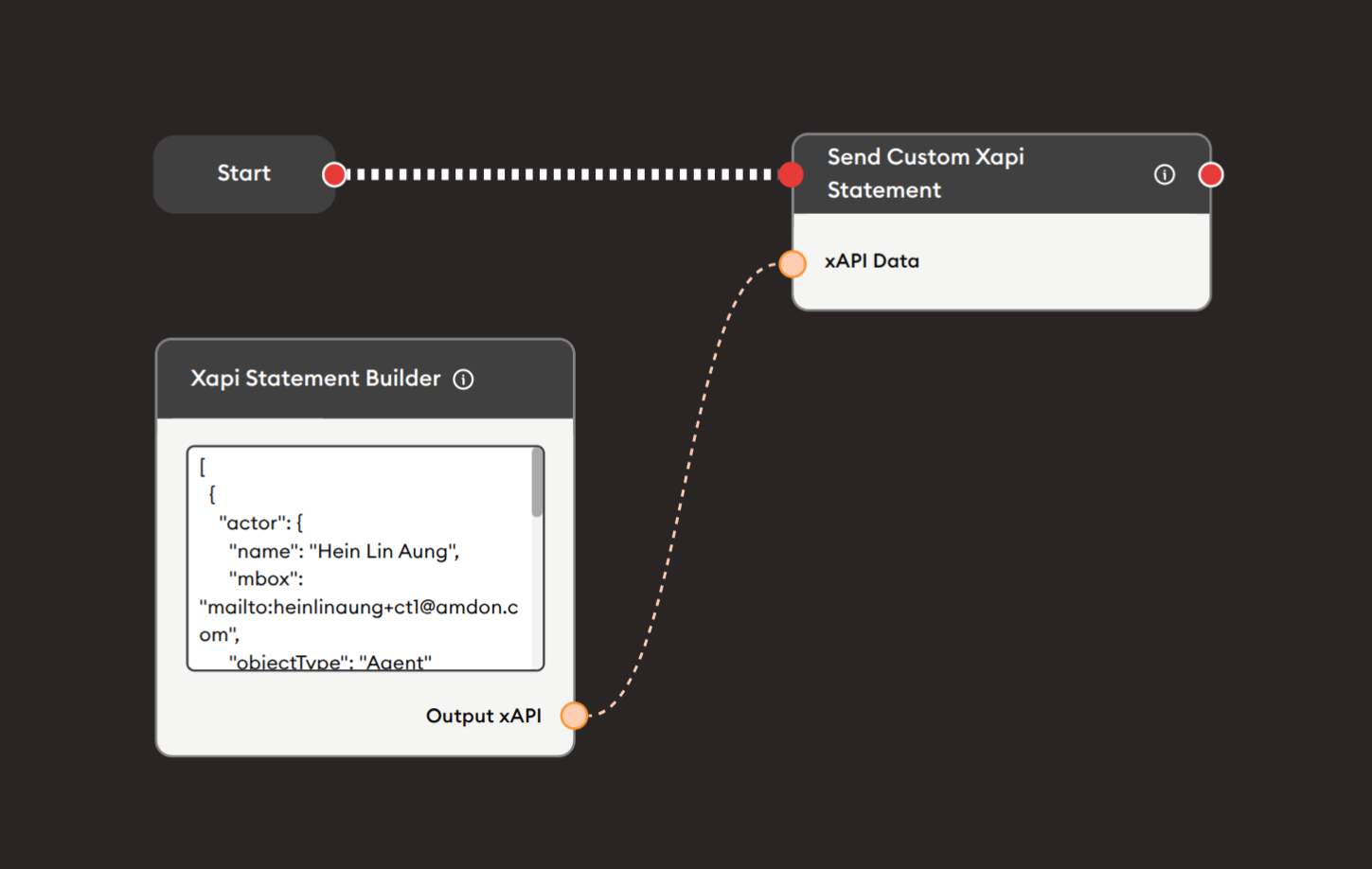
Steps to Create the Flow:
-
Add a Start Node.
-
Add an xAPI Statement Builder node:
i. Write the xAPI JSON:
{"actor": {"name": "Hein Lin Aung","mbox": "mailto:heinlinaung+ctl@amdon.com","objectType": "Agent"},"verb": {"id": "http://adlnet.gov/expapi/verbs/completed","display": { "en-US": "completed" }},"object": {"objectType": "Activity","id": "activity-12345","definition": {"name": { "en-US": "Custom Activity" },"description": { "en-US": "A custom learning activity" }}},"result": {"completion": true,"success": true}} -
Add a Send Custom xAPI Statement node:
- Connect xAPI Statement Builder Output xAPI (orange) to xAPI Data input
- This node sends the statement to the configured LRS
-
Connect flow control:
- Start → xAPI Statement Builder → Send Custom xAPI Statement (red ports)
Preview:
[Start] → [xAPI Statement Builder: Build custom statement]
       → [Send Custom xAPI Statement: Send to LRS]
Result: Custom xAPI statement is created and sent to the LRS.
Related Nodes
- xAPI Report: Simplified xAPI statement creation with form interface
- Send Custom xAPI Statement: Send built statements to LRS
- Retrieve xAPI Data: Fetch existing statements from LRS
- Data Dump: Store xAPI statements
- API Call: Alternative for sending to LRS
- JSON Builder: Build general JSON structures
Summary
The xAPI Statement Builder node provides advanced xAPI statement creation:
✓ Flexible: Complete JSON control
✓ Powerful: Support all xAPI features
✓ Custom: Use custom verbs and extensions
✓ Advanced: Sub-statements, groups, voiding
✓ Standards-Based: Full xAPI specification compliance
Master the xAPI Statement Builder node to create sophisticated learning records with custom verbs, complex contexts, group activities, nested statements, and any advanced xAPI feature requiring manual control. Ideal for developers and advanced users who need capabilities beyond standard statement creation tools. Always pair with Send Custom xAPI Statement node for LRS submission.