Senangpay Setup
Configure Senangpay payment processing for your enterprise to enable direct credit purchases by users in Malaysia and Indonesia. This guide covers the complete setup process.
Prerequisites
Before configuring Senangpay in LearningFlow:
- Active Senangpay account (sign up at senangpay.my)
- Access to your Senangpay merchant profile settings
- Administrator access to your LearningFlow Enterprise Portal
Configuration Steps
Step 1: Log in to Your Senangpay Account
- Navigate to Senangpay Dashboard
- Log in with your merchant credentials
- Go to your Profile Settings or Integration Settings
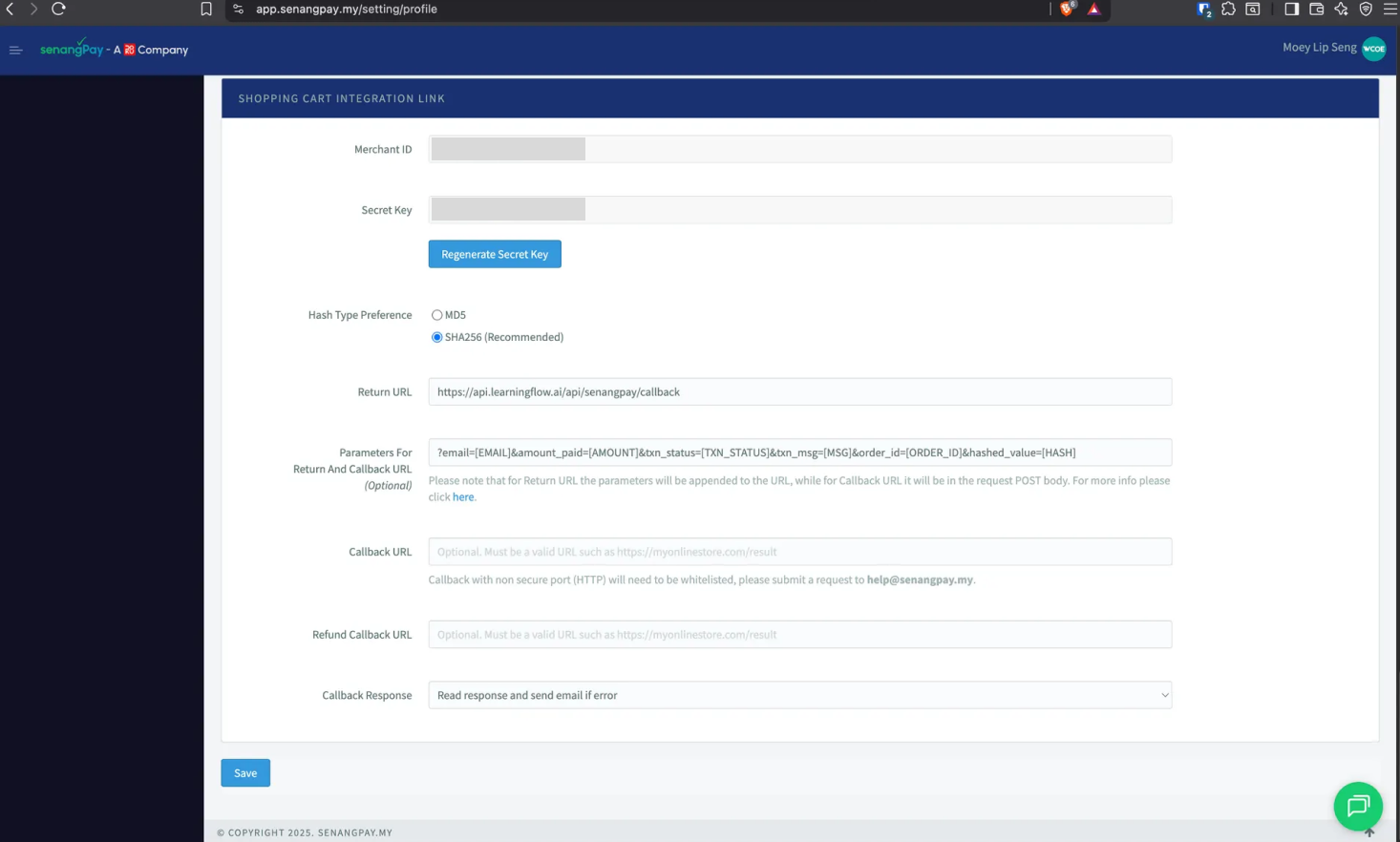
Step 2: Configure Hash Type Preference
In your Senangpay profile settings:
- Locate the Hash Type Preference setting
- Select SHA256 (Recommended) for enhanced security
- This ensures secure verification of payment callbacks
Step 3: Save Senangpay Configuration
- Review all entered information:
- Hash type is set to SHA256
- Click Save or Update in your Senangpay profile
- Note your Merchant ID and Secret Key - you'll need these for LearningFlow configuration
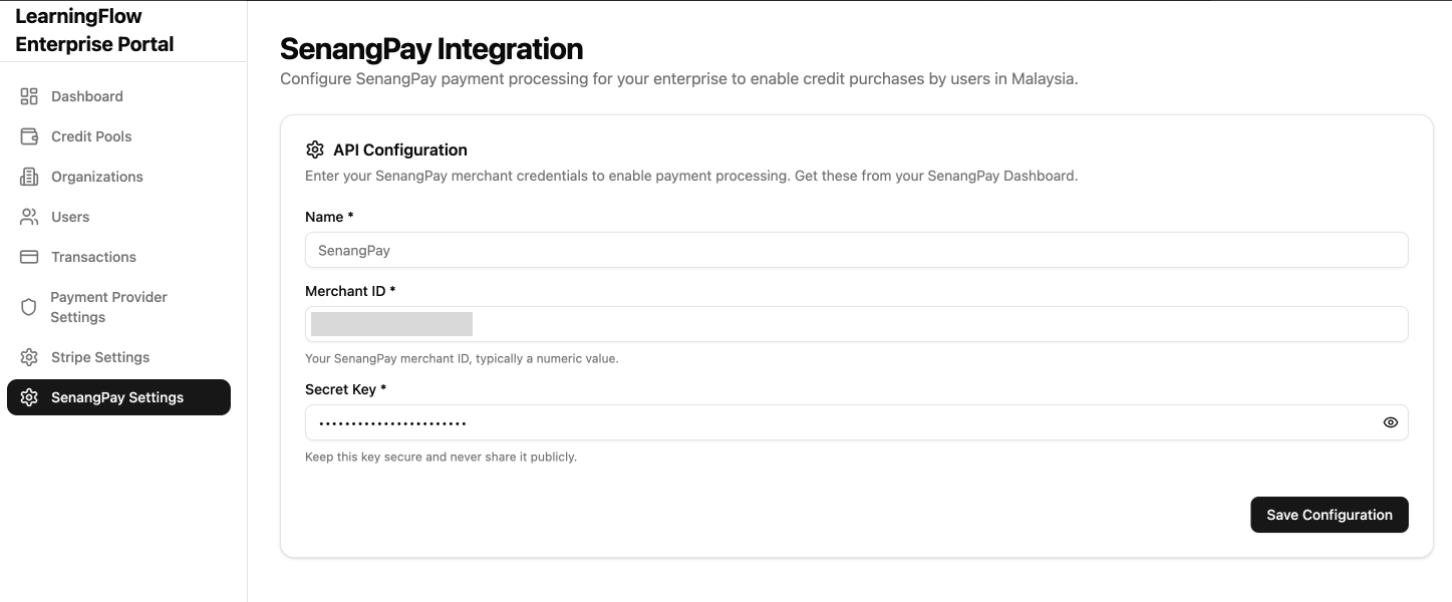
Step 4: Configure Senangpay in LearningFlow Enterprise Portal
Now configure Senangpay in your LearningFlow Enterprise Portal:
- Log in to the LearningFlow Enterprise Portal
- Navigate to Payment Provider Settings
- Find the Senangpay card
- Click "Manage Settings" or "Configure"
Setup Senangpay Credentials on LearningFlow
In the Senangpay configuration form, enter:
-
Merchant ID (Required)
- Enter your Senangpay Merchant ID
- Example:
803175497390533
- Example:
- Find this in your Senangpay dashboard
- Enter your Senangpay Merchant ID
-
Secret Key (Required)
- Enter your Senangpay Secret Key
- Example:
3643pSz11VMhQxNaRdG8m
- Example:
- Click the eye icon (👁️) to toggle visibility while entering
- Get this from your Senangpay profile settings
- Enter your Senangpay Secret Key
Security Notice
Keep your Secret Key secure and never share it publicly. This key is used to verify payment authenticity.
- Click "Save Configuration" to complete the setup
Supported Regions
Senangpay is available for the following regions:
- 🇲🇾 Malaysia - Primary market
- 🇮🇩 Indonesia - Supported market
Users in these regions will see Senangpay as a payment option when purchasing credits.
Payment Methods Supported
Senangpay supports multiple payment methods:
- Online Banking - FPX (Malaysia)
- Credit/Debit Cards - Visa, Mastercard
- E-Wallets - Touch 'n Go, Boost, GrabPay, and more
- BNPL - Buy Now Pay Later options
Related Documentation
- Payment Provider Settings - Overview of all payment providers
- Credit Pools - Managing credit allocation
- Transactions - Viewing payment history