Assignment Operations: Manage, Edit, and Control Access
Once your assignment is running, LearningFlow gives you flexible controls to manage its availability, update details, and control how participants can join.
Pausing, Resuming, and Locking Assignments
You can control assignment status to manage when learners can access it:
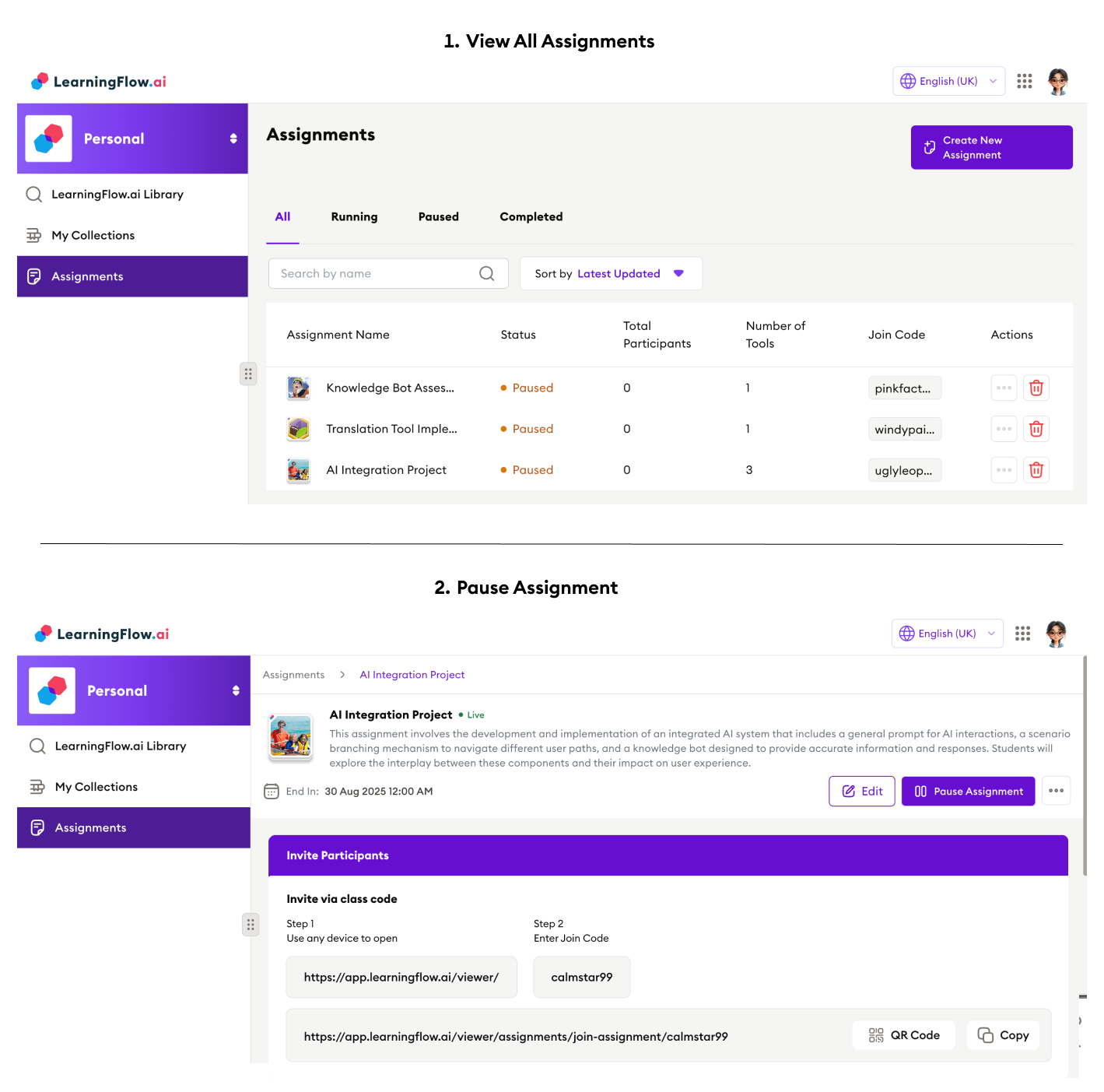
Pause Assignment
-
Click the Pause Assignment button to temporarily suspend the session.
-
When paused, the assignment disappears from learner view (even if they have already joined).
-
Participants cannot enter or interact with the assignment until you resume it.
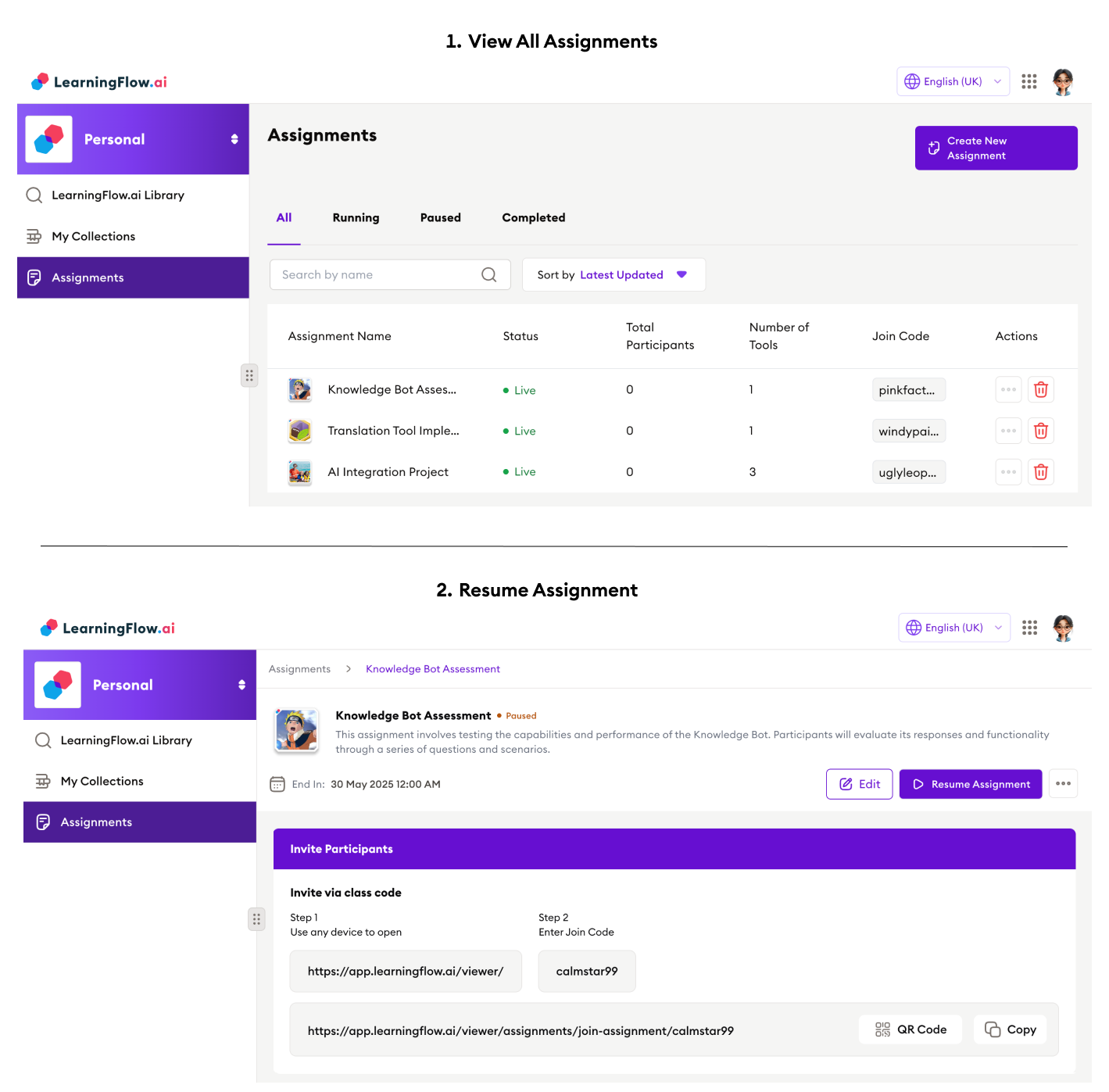
Resume Assignment
-
Click Resume Assignment to make the session available again for participants.
-
The assignment will reappear in the viewer, allowing learners to continue where they left off.
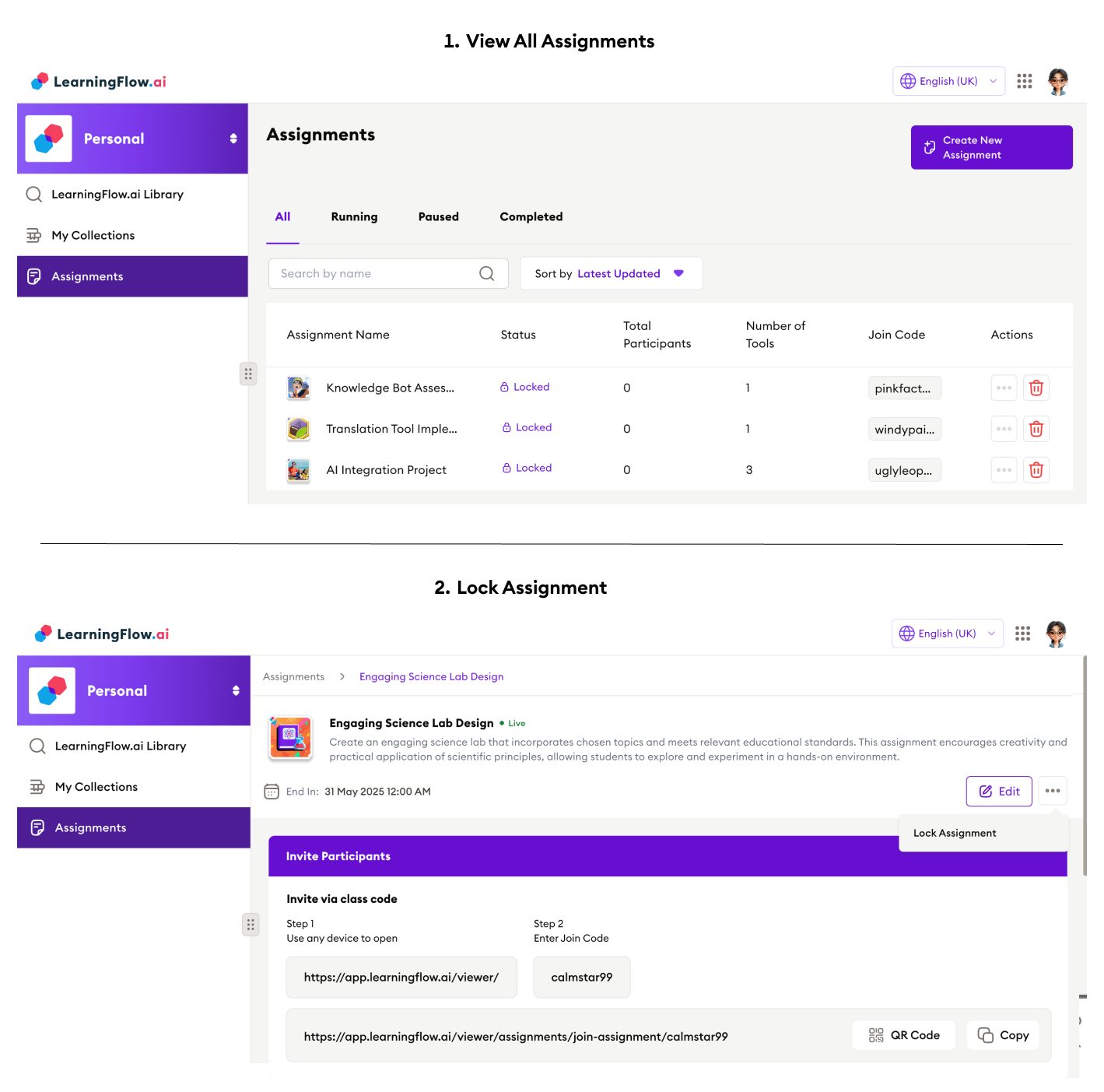
Lock Assignment
-
Locking an assignment prevents any further access or submissions, just like pausing.
-
Locked assignments display a special “Locked” status to indicate their state.
Editing Assignments
You can update assignment settings at any time:
- Click Edit on your assignment’s detail page.
- Changes you can make:
- Change assignment title and description
- Adjust end dates (deadlines)
- Add, remove, or reorder included flows
- Set or update assignment type (Single, Multi, Book)
- Change AI payment mode (who pays for AI/model usage)
These edits will apply instantly; participants will see the new details the next time they access the assignment.
Changing the Join Code
Each assignment has a unique join code, which can be customized:
-
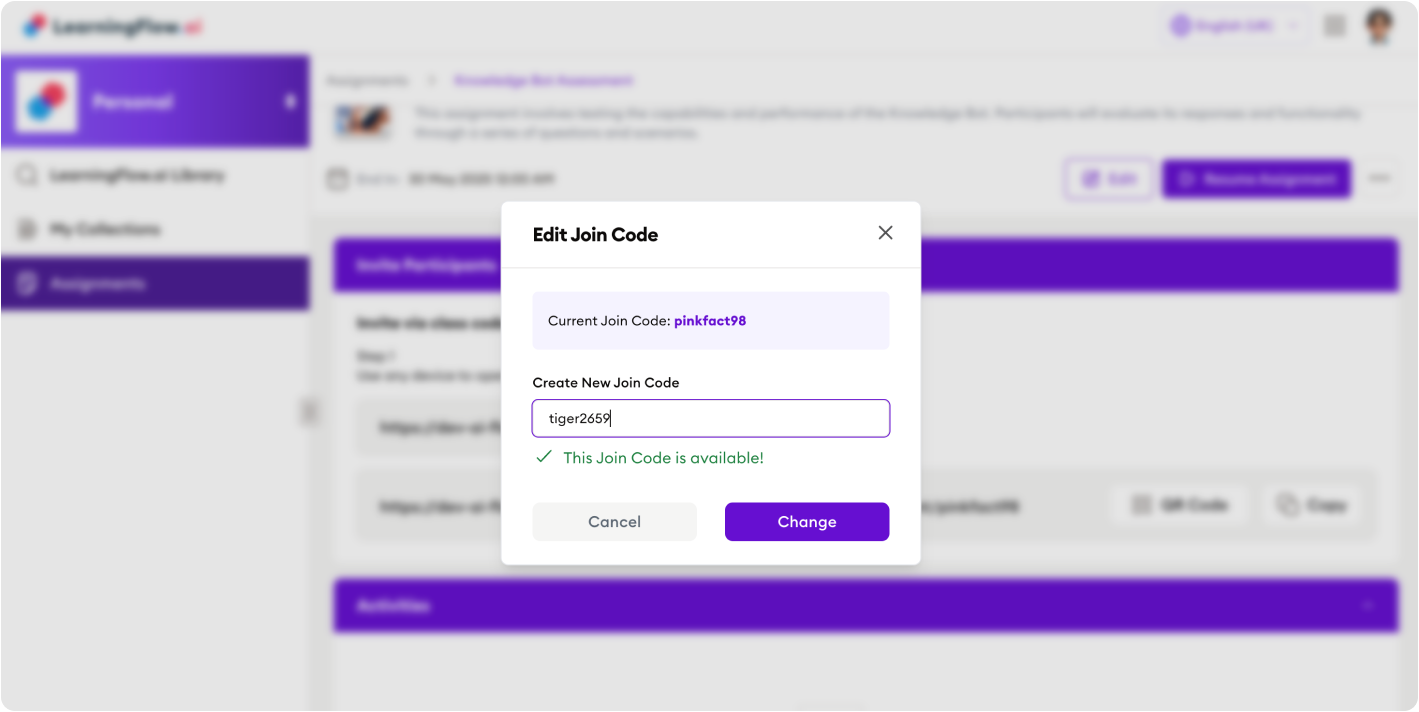
In the assignment’s detail screen, find the Edit Join Code option.
-
See your current join code, and enter a new one (as long as it’s not in use by another assignment).
-
Confirm the change.
- Note: When you change the join code, the assignment’s join URL will also change.
- Make sure to distribute the updated join code or URL to participants as needed.
Good to Know
- Pausing or locking assignments prevents all participants from accessing them, even if they previously joined. Resume to restore access.
- Edit assignments to keep your sessions up-to-date—change flows, participants, settings, or deadlines at any time.
- Custom join codes make it easier for participants to remember or for you to distribute access securely. Changing the join code will generate a new join link.
Quick Reference Table
| Operation | Effect | Who Can Do It |
|---|---|---|
| Pause | Makes assignment inaccessible | Creator/ Co-owner |
| Resume | Makes assignment active again | Creator/ Co-owner |
| Lock | Similar to pause, blocks access | Creator/ Co-owner |
| Edit Details | Update flows, title, schedule, payment | Creator/ Co-owner |
| Edit Join Code | Personalize/replace join code & link | Creator/ Co-owner |
Assignment operations give you real-time control over who participates and when, keeping your sessions as flexible and secure as you need.
For further assignment tips or troubleshooting, check the Assignments FAQ or contact support.